Autostart Server
If your server doesn’t automaticaly start when the OS boots, it can be a concern. If the machine reboots for some reason, you could notice it only after quite some time.
It’s also just convenient to have the server starting automaticaly when the machine (re)boots.
Let’s handle this simply, using cron.
Important
This tutorial assumes you use a start script to start your server. Here we’ll be using a start script that uses tmux, covered in this tutorial.
Installing cron
cron can be installed on Debian/Ubuntu (which most of the servers use) using the following command:
sudo apt install cron
Configuring cron
Enter crontab -e.
If it’s the first time you enter this command, you will be asked to choose a text editor. fresh is a dead simple cli text editor.
Now, go at the end of the file, and add this line:
@reboot /home/raph/myserver/startbackground.sh
Modify it for your own path. It should look like this:
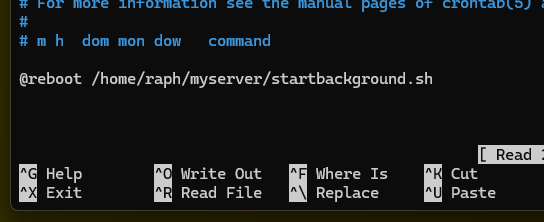
Save and close nano.
Now you should restart your Linux to verify: enter sudo reboot.
Wait a bit, then try to connect to your server.
Credits
Auto start your server: Raph’s cod1 tutorials